Watch the proposed filename
The browser tells the extension the filename, source URL and referrer while a download is being prepared.
A tiny utility for legacy infrastructure
iDRAC JNLP Fixer catches the filename that old Dell PowerEdge consoles generate and changes it to the name your JNLP association expects.
Try 3 matching JNLP renames free. Unlimited renames with a one-time €2.99 lifetime license.
The one problem it solves
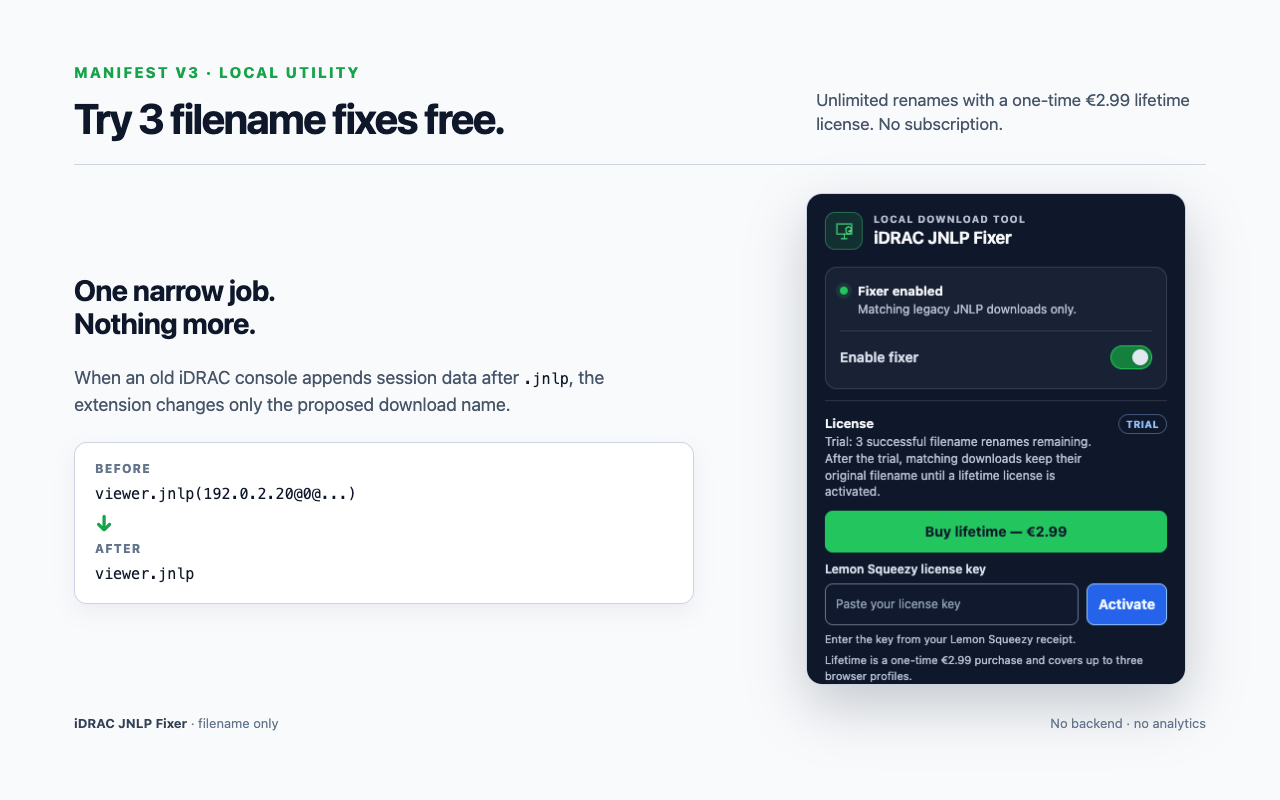
The JNLP content may be fine, but a filename such as viewer.jnlp(...) can stop an existing JNLP association from recognizing it. The extension changes the filename during the download and leaves the file contents alone.
Before
viewer.jnlp(192.0.2.10@0@server,+PowerEdge+R710...)After
viewer.jnlpHow it works
The browser tells the extension the filename, source URL and referrer while a download is being prepared.
Only legacy viewer.jnlp(...) and jviewer.jnlp(...) shapes are eligible. Normal PDFs, ZIPs and other downloads are left alone.
The browser saves the result as viewer.jnlp or jviewer.jnlp, using its normal duplicate-file handling.
Private by design
Scope boundary
This product does not include a remote console, Java launcher, certificate workaround or server-management features. You still need a compatible Java/OpenWebStart setup and a reachable legacy iDRAC environment.
Frequently asked
The extension targets Chromium browsers. The primary QA matrix covers Chrome, Microsoft Edge and Brave, with Windows as the primary QA platform and macOS used for development.
No. It only fixes the download filename. TLS, certificates, Java versions, OpenWebStart associations and the legacy console itself are outside the product's scope.
The matching rules are deliberately conservative. A normal filename such as report.pdf is ignored, and an existing target file is never overwritten by the extension.
Installation includes 3 matching JNLP renames. Ordinary downloads do not use the trial. After the third fix, matching downloads keep their original filename until you activate a license; the download still completes.
No. A one-time €2.99 lifetime license unlocks unlimited renames on up to 3 active browser profiles. Buy through Lemon Squeezy, then paste the license key in the popup and choose Activate. No account is required inside the extension.
The extension only renames the downloaded file. Opening a JNLP still requires a compatible Java/OpenWebStart environment. Windows is the primary tested platform; ChromeOS execution of the legacy Java console is not part of our tested coverage.
Need help?
Support can help separate a rename problem from a Java/OpenWebStart problem. Please do not send passwords, private keys or complete license keys.